









KeyShot Studio Annual Subscription (Formerly KeyShot Pro) – Create Professional 3D Visuals with Precision
KeyShot Studio (formerly KeyShot Pro) makes it easy for designers and engineers to create high-quality 3D visuals and animations. With its real-time rendering and intuitive controls, KeyShot Studio simplifies complex visualisation without compromising detail.
KeyShot Studio is well-suited to a wide range of industries. Our KeyShot customers include product and industrial designers, vehicle design companies, jewellers and architects.
What is KeyShot Studio?
KeyShot Studio is professional 3D rendering and animation software used by designers, engineers and visual artists to produce a wide range of outputs. From high-quality still images and stunning animation to interactive web and mobile content. KeyShot provides the advanced features and flexibility you need to take your visuals to the next level.
KeyShot offers real-time rendering, meaning you can see every change to materials, lighting and camera instantly. Compatible with both Mac and Windows, KeyShot Studio supports over 30 CAD and 3D file formats, including SOLIDWORKS, Rhino and AutoCAD. Its intuitive interface and fast workflow make it ideal for design reviews, marketing visuals and product animations. Whether you’re creating high-quality stills, interactive web content or detailed motion sequences, KeyShot Studio gives you precise control over every element of your scene.

Why Designers and Engineers Choose KeyShot Studio?
KeyShot Studio produces high-quality 3D renders fast, with minimal setup. Its real-time rendering lets you adjust lighting, materials and cameras instantly, removing the wait for render queues. Built for designers, engineers and visualisers, it combines speed, accuracy and ease of use for professional results in design and marketing. The intuitive interface on Mac and Windows is fully customisable, so you can arrange tools your way and work efficiently. With over 10,000 companies using KeyShot, tutorials and resources are easy to find. Plus, if you buy KeyShot through us, you’ll have exclusive access to CAD Software Direct’s support team to get you up and running.
Intuitive design
You don’t have to be a rendering expert to create photorealistic images of your 3D models. Simply import your data, assign materials by dragging and dropping them onto the model, adjust the lighting, and move the camera. Done.
Lightning-fast rendering
KeyShot Studio excels in fast 3D rendering, producing stunning visuals quickly. As a comprehensive solution, it ensures efficiency for tight deadlines and rapid design changes. Focus on creativity, not waiting.
Photorealistic every time
For over 20 years, KeyShot Studio has set the standard for photorealistic images, enhancing design and marketing with high-quality renders. Trust KeyShot Studio to bring your ideas to life swiftly and accurately.
Rendering Output

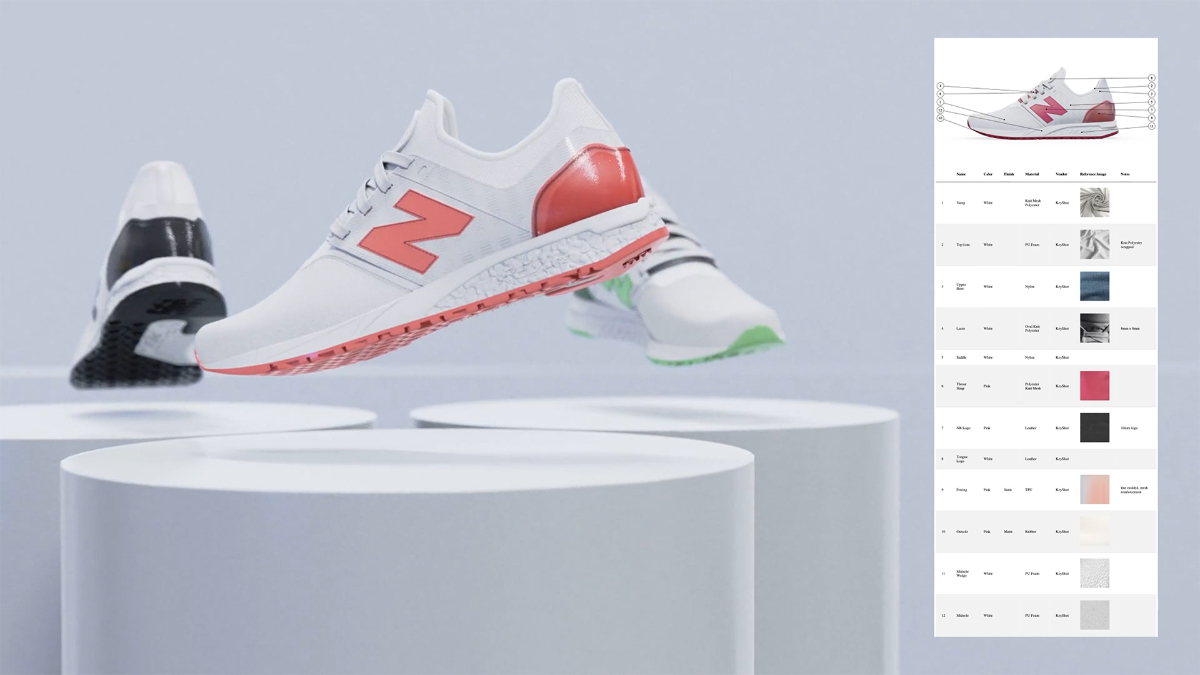
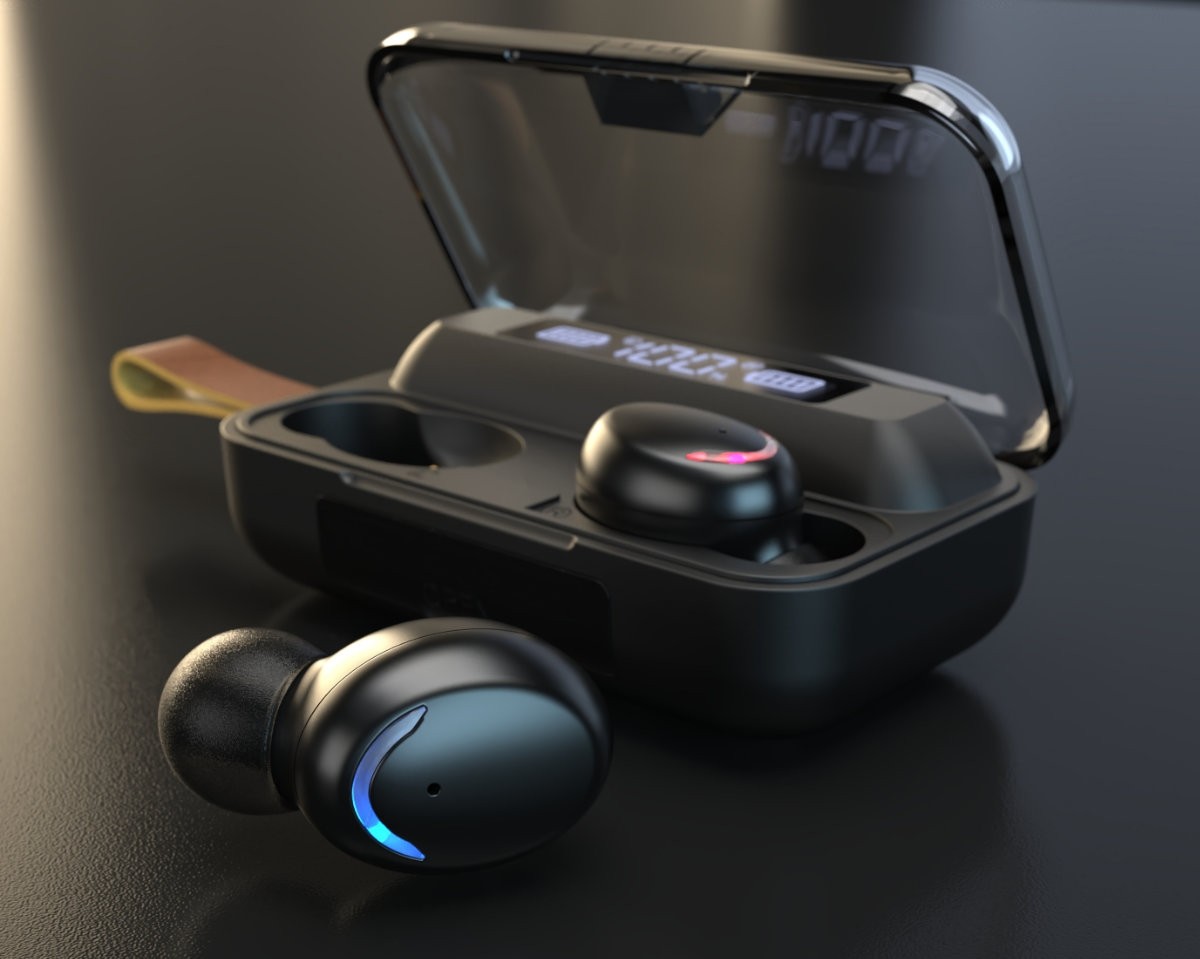
Still Images – Produce high-resolution, photoreal visuals for marketing, design reviews, and packaging. Adjust materials, lighting, and cameras in real time within KeyShot Studio to create precise and consistent product renders.

Animations – Build product animations directly in KeyShot Studio. Demonstrate assembly sequences, material changes, or function in motion with full control over cameras, lighting, and timing—no external software required.

Interactive Web and Mobile Content – Generate interactive browser-based product configurators. Create fully-rendered product variations using the models, materials and studios of your choice.
New In KeyShot 2025
KeyShot Studio AI
The latest update to KeyShot Studio introduces three new features designed to expand your creative control and speed up visual production.
Restyle Mode
Restyle Mode keeps your geometry, camera, and lighting intact while applying alternative materials and background styles. It helps you test different finishes quickly without rebuilding scenes, giving you fast visual iterations in KeyShot Studio.
Background Mode
Background Mode adjusts the environment and lighting to create photorealistic backgrounds for both interior and exterior renders. It’s ideal for catalogue or product images, reducing the need to build multiple complex setups while keeping a consistent professional look.
Imagine Mode
Imagine Mode uses text prompts to generate images, textures, mood boards, colour palettes, and sketches. It accelerates early concept development, helping designers move from ideas to visuals in minutes within KeyShot Studio.
Plus…
Light Layers – KeyShot adds the ability to fine-tune and create lighting compromises, allowing users to get the perfect lighting on each surface.
Randomisation Nodes – Keyshot Studio adds the ability to randomise textures and their values, like rotation and colour. This gives your scene a sense of randomness with colours and textures, enhancing the realism in the final render.
Cloud Library Enhancements – The cloud library has now replaced the legacy library, bringing faster performance and more content with the ability to download assets directly into Studio faster than before.
AMD GPU Support – Adding in these GPU’s widens the range of machines that are now compatible with Keyshot, allowing for greater compatibility and flexibility. While this is in Beta with a limited number of GPU’s supported, expect more updates to come for AMD users.
Colour Picker and New Palette – The colour picker has seen some general improvements for improved ease of use. Studio also adds in a Palette of 175 new colours from Pantone Dualities.
Keyshot for SOLIDWORKS – The latest release also brings much-needed improvements and bug fixes to this plugin, allowing greater collaboration between your software.
Licences and Search Bar – More search bars have been added to list views, allowing you to find what you need quicker and easier, along with this the licence activation has never been easier, truly streamlining your entire Keyshot experience
Performance Increases – Up to 20% faster rendering performance. Up to 60% faster exports with the new Export Mode. Multiple improvements to performance, ease of use and GPU performance
KeyShot Key Features

Render with Multiple GPUs
Adjust lighting, materials, and cameras while viewing results instantly in KeyShot Studio.

Real-Time Rendering
Render the whole scene in real-time or select which parts you want to real-time render using a bounding box.

Advanced lighting
KeyShot Studio has the most advanced lighting algorithms and a patented HDRI environment editor to accurately render realistic lighting for interior and exterior scenes.

Accurate Materials and Textures
Adjust lighting, materials, and cameras while viewing results instantly in KeyShot Studio. Plus, apply any combination of different materials to any part for non-destructive material swapping, variations and colour studies.

Edges Anywhere
With the Contour texture, you now have control and flexibility while creating custom materials. Add an illustration-like effect, or use it on top of real world materials like metals and plastics.

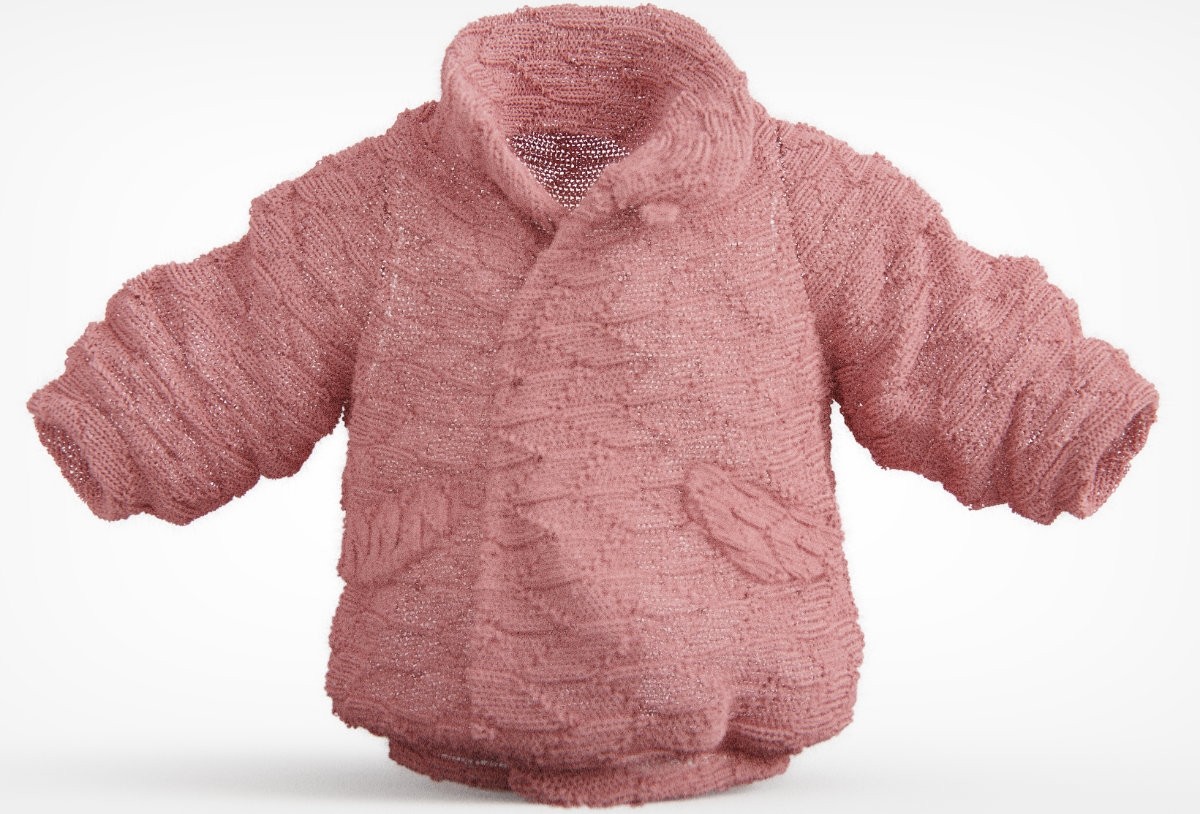
Fuzz Material
Add any amount of fuzz on the surface of a material in the Material Graph, and you can control the length, density and randomness for the perfect look.

Cloud library
Explore thousands of materials, environments, textures, colours and much more.

Camera and Studio Management
Save camera angles and lighting setups for consistent visual output.

Animation Tools
Create smooth motion visuals directly within the KeyShot Studio interface.
Plus…
Geometry View – This highly responsive secondary real-time view provides an additional camera viewpoint, 1:1 animation playback, camera path animation control and more.
Integration and File Support – Import files from the top 3D software while retaining accuracy and avoiding rework.
Denoiser & Firefly Removal – Working with both CPU and GPU Mode to eliminate noise, the denoiser creates smooth, fast and beautiful renderings in the real-time view and final render output.
Collision Detection and Settle – KeyShot includes basic Collision Detection of objects, along with the ability to Settle items on other objects and the ground.
Sun & Sky – Adjust the date, start, and end time or apply individual keyframes for precise control over sun and sky animations. Plus, drag and drop positioning of the sun with additional settings to dial in your own Sun & Sky environment.
Occlusion Ground Shadows – Quickly and easily toggle occlusion ground shadows on or off.
Reflection Contrast – The ground material in KeyShot provides complete control over reflection contrast.
Panoramic Lens – Enable Panoramic Lens to use Spherical or Cube Map mode in real-time or render out to create spherical EXR images to use as environments to light other scenes or load in VR
Shift Lens – KeyShot has a Shift Lens setting with an Estimate Vertical Shift function that allows the verticals in a scene to be aligned with the click of a button, which is particularly useful for architectural and interior visualisation.
Model Sets – Create different variations of models and parts in a single scene, show models in different states or using different materials.
Multi-layer PSD – When outputting rendered still images and Animation frames as PSD and PSD 32 Bit format, Render Passes and Render Layers will be included as individual layers contained in the Photoshop file
Metallic Paint – Create deep, rich candy coats with the new texturable clear-coat colour with complete control over clear-coat thickness.
Toon Material – More control over contours and the ability to change shadow colour and texture, or change the visibility of shadows produced by light materials.
Material Templates – Material templates have been completely updated to make it faster and easier to set up and apply materials across all parts at import.
Texture Mapping – Apply textures faster with the interactive mapping tool. Apply textures using Tri-planar, Tile UV or apply video maps.
Procedurals Colour and Number – Fade animations now make it possible to quickly adjust material colours or settings, change material opacity, or fade lights.
Unit-Aware Settings – Adjust your material and texture settings using actual values based on the units set for your scene.
Material Graph – The Material Graph opens in a separate window and displays materials, textures, labels and more as nodes in a graph view to visualise connections and relationships within complex materials.
Materials on Labels – Materials and textures can now be applied to labels to enhance appearance and realism. Having this flexibility allows for a more accurate communication of labels and their true physical properties.
Occlusion Procedural – This procedural texture type adds proximity-based shading to a material. It can be used to accentuate or augment the self shadows cast on a material and, along with the Material Graph, to create interesting texture effects based on occluded and unoccluded areas.
Choose Your Environment – KeyShot features the ability to apply multiple environments to a scene, switch it as quick as you like and see the results instantly. Choose a studio, an outdoor scene or position sun and sky exactly where you want them.
Integrated HDRI Editor – The KeyShot HDRI Editor is integrated in the Environment tab for a fluid environment editing experience.
HDRI Gradients – Gradients are included in the HDRI Editor for both HDRI light pins and as an additional background option.
HDRI Export – Set up your lighting and save it out. KeyShot allows you to export your HDRI environments in HDR, EXR and HDZ formats.
Re-Tessellate Models – Models imported with NURBS included can be re-tessellated directly in the scene without re-importing the model. This tool allows you to fine-tune the tessellation quality of entire models or individual parts in a scene to optimise appearance and file size.
Customise Your Interface – You have more flexibility in the KeyShot user interface with the ability to create and save multiple Workspaces built around the way you work. Customise tab appearance and location or dock, undock and stack windows any way you like.
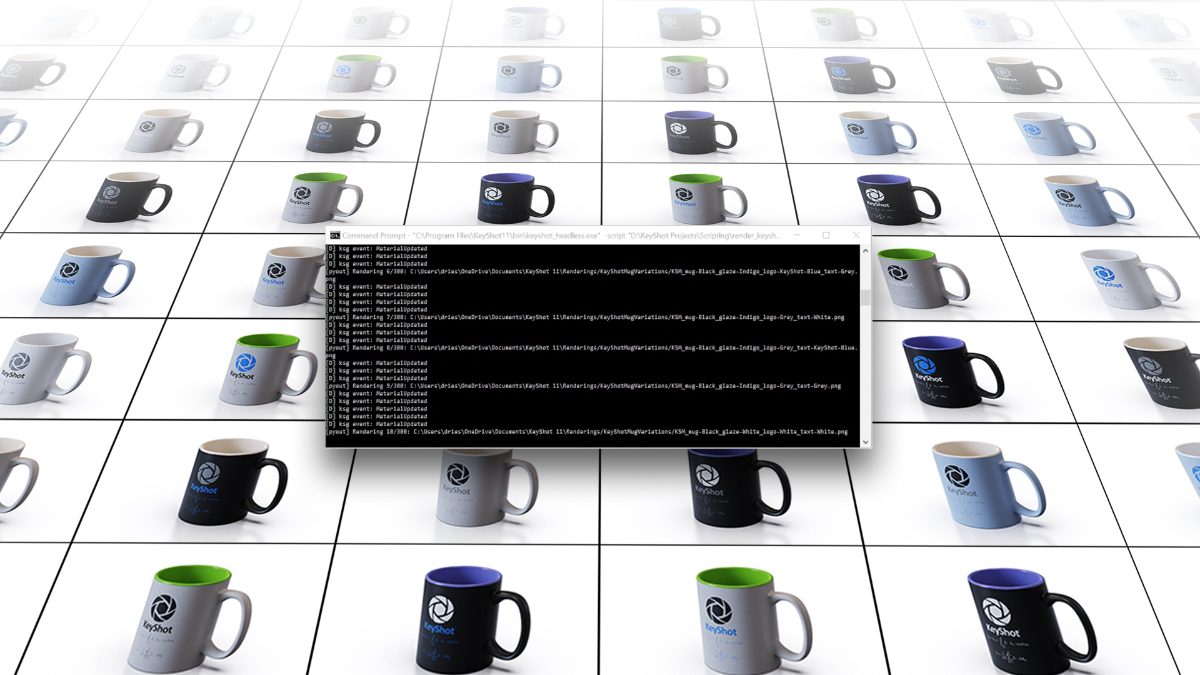
Scripting – Create Python scripts or use KeyShot’s range of pre-created scripts for automation, batch processing, and more within KeyShot Studio or via the terminal.
import your model into Keyshot
KeyShot Studio supports 34 3D formats, including popular CAD formats such as SOLIDWORKS, AutoCAD, CATIA, and Rhino. This wide compatibility ensures you can easily import and work with your models, allowing you to focus on creativity and innovation without worrying about file compatibility. KeyShot ensures that you can work with virtually any file format
- ALIAS
- AutoCAD
- CATIA
- Creo
- Inventor
- NX
- Pro/ENGINEER
- Revit
- Rhinoceros
- SketchUp
- Solid Edge
- SOLIDWORKS
- Parasolid
- STEP
- OBJ
- FBX
- GLB/glTF
- STL
- USD
- 3MF
- and so many more




Reviews
There are no reviews yet.